-
ChatGPT로 이모티콘 스티커 만드는 방법생활 2026. 6. 22. 14:49
목차

ChatGPT로 이모티콘 스티커 만드는 방법
ChatGPT를 활용해 다양한 이미지를 만들 수 있습니다.
직접 사용할 수 있는 이모티콘 제작도 쉽게 할 수 있습니다.
카카오톡 프로필, 메신저 스티커, SNS 꾸미기 등 활용 범위도 많습니다.
예전에는 직접 그려야 했지만 지금은 프롬프트만 잘 입력하면 빠르게 만들 수 있습니다.
이모티콘 스티커
이모티콘 스터키는 모바일 메신저나 온라인에서 감정을 전달하는 이모티콘의 기능과 아기자기하게 꾸미는 스티커의 특성이 있는 콘텐츠입니다.
이모티콘 스티커 이모티콘 기쁨, 슬픔, 분노, 당황 등 사람의 감정이나 캐릭터의 표정과 동작을 통해 전달합니다. 스티커 캐릭터 외곽에 두꺼운 흰색 테두리가 있어 독립된 붙이는 스티커의 느낌을 줍니다. 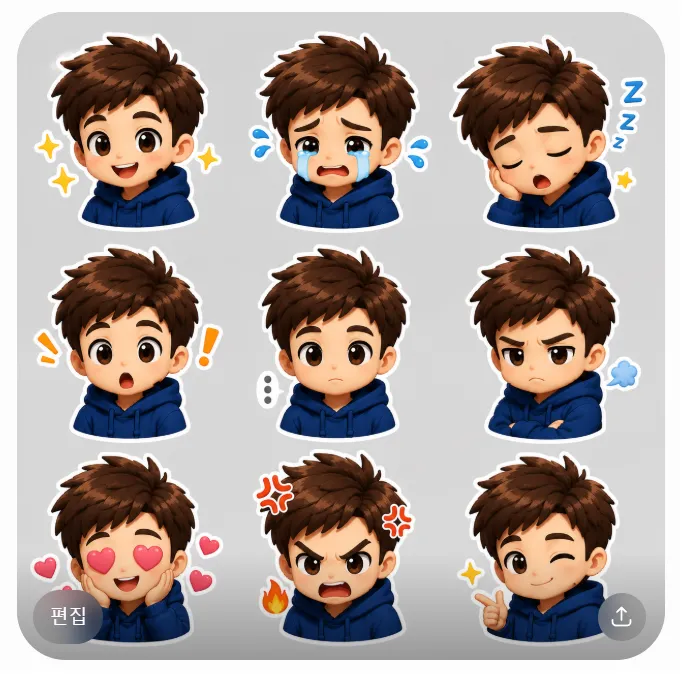
ChatGPT 이모티콘 스티커 이미지 스타일 아기자기 스타일 빈티지 레트로 스타일 힙한 스트릿 그래피티 스타일 수채화 감성 일러스트 스타일
아기자기 스타일
기본 이미지를 첨부해서 프롬프트를 실행해야 합니다.
반응형더보기Based on the facial features, hairstyle, and characteristics of the provided person in the photo, create a KakaoTalk emoticons style image sheet in a Cute Kawaii Vector design.
Arrange a total of 9 different facial expressions in a 3x3 grid layout on a single sheet. The expressions must include: happy, crying, sleepy, surprised, blank stare, frowning, loving, angry, and winking.
Style Specifications:
Overall Look: Chibi proportions, adorable anime features, soft pastel color palette, and clean black outlines.
Character Details: Maintain the key facial structure, eye shape, and hair features from the reference photo, but adapt them into a cute kawaii minimalist vector character.
Emoticon Features: Each character must have a thick, distinct white sticker contour border. Include mini emojis like floating hearts, sweat drops, and stars around the faces.
Background: Isolated on a plain solid light-grey background.
Crucial Rule: DO NOT include any text, words, or letters. Leave the spaces clean for text overlay.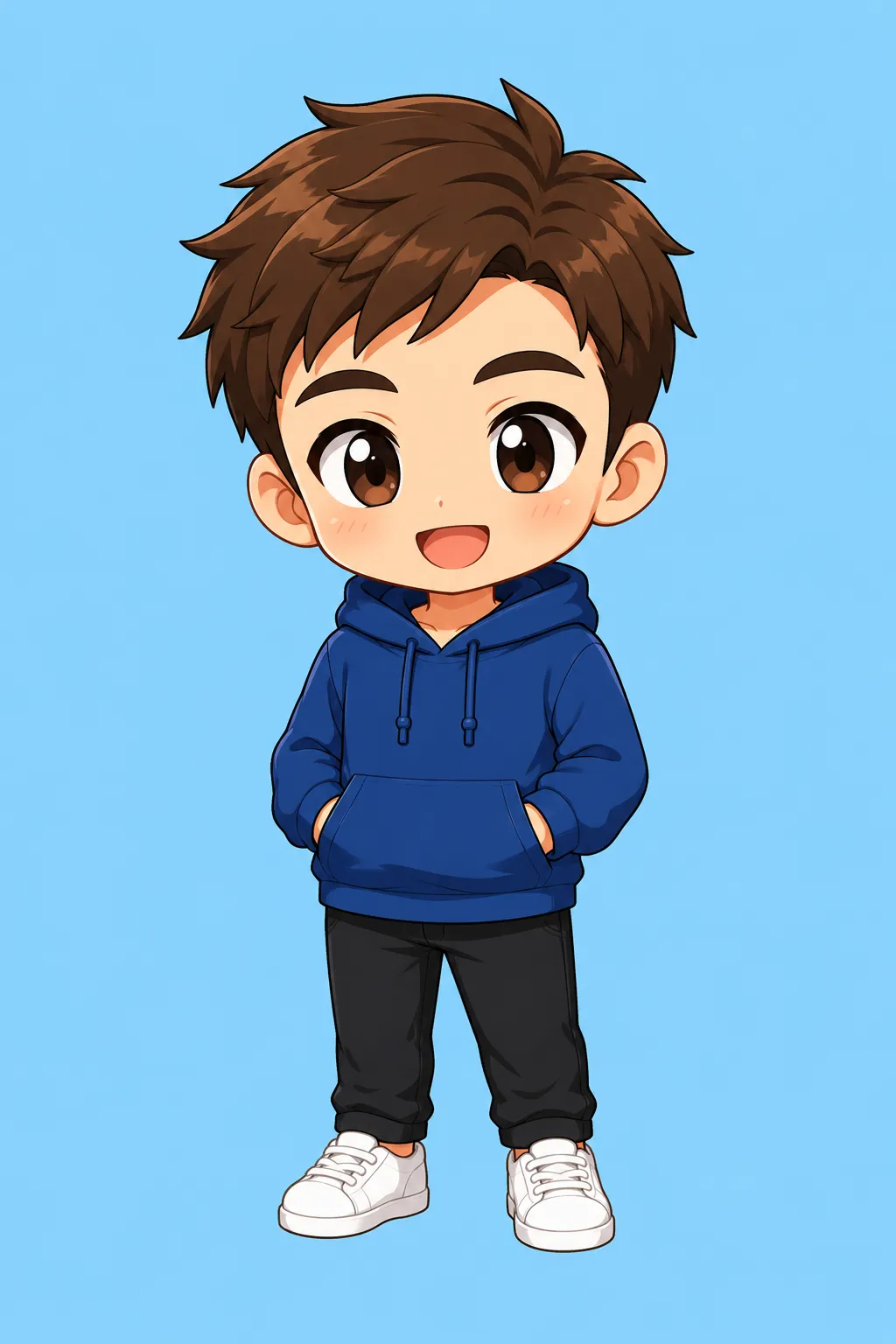
ChatGPT 이모티콘 아기자기 스타일 스티커 이미지 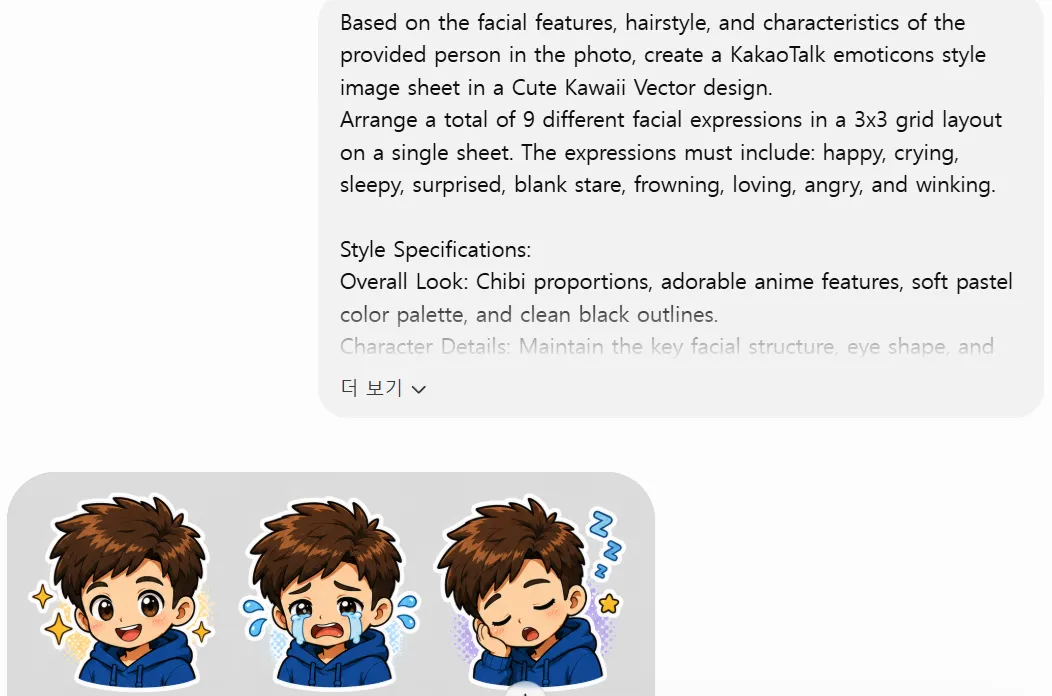
ChatGPT 이모티콘 아기자기 스타일 스티커 이미지 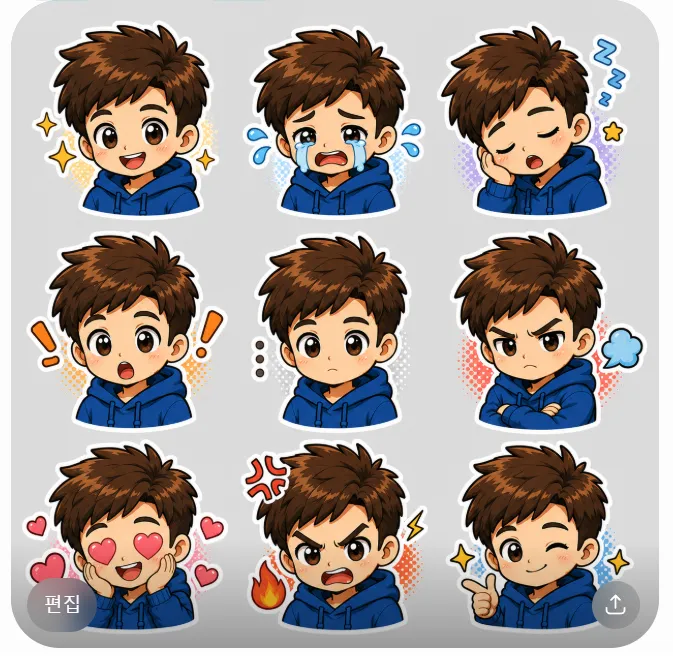
ChatGPT 이모티콘 아기자기 스타일 스티커 이미지
빈티지 레트로 스타일
기본 이미지를 첨부해서 프롬프트를 실행해야 합니다.
더보기Based on the facial features, hairstyle, and characteristics of the provided person in the photo, create a KakaoTalk emoticons style image sheet in a Vintage Retro Pop Art design.
Arrange a total of 9 different facial expressions in a 3x3 grid layout on a single sheet. The expressions must include: happy, crying, sleepy, surprised, blank stare, frowning, loving, angry, and winking.
Style Specifications:
Overall Look: 90s comic book aesthetic, bold outlines, vibrant nostalgic colors, and a subtle halftone texture.
Character Details: Translate the person's key facial features, eye shape, and hairstyle from the photo into a classic retro cartoon character.
Emoticon Features: Each character must have a crisp, thick white die-cut sticker contour line. Include retro-style dynamic symbols (like classic comic anger veins, shock lines, or sparkles) around the faces.
Background: Isolated on a plain solid cream-white background.
Crucial Rule: DO NOT include any text, words, or letters. Leave the spaces clean for text overlay.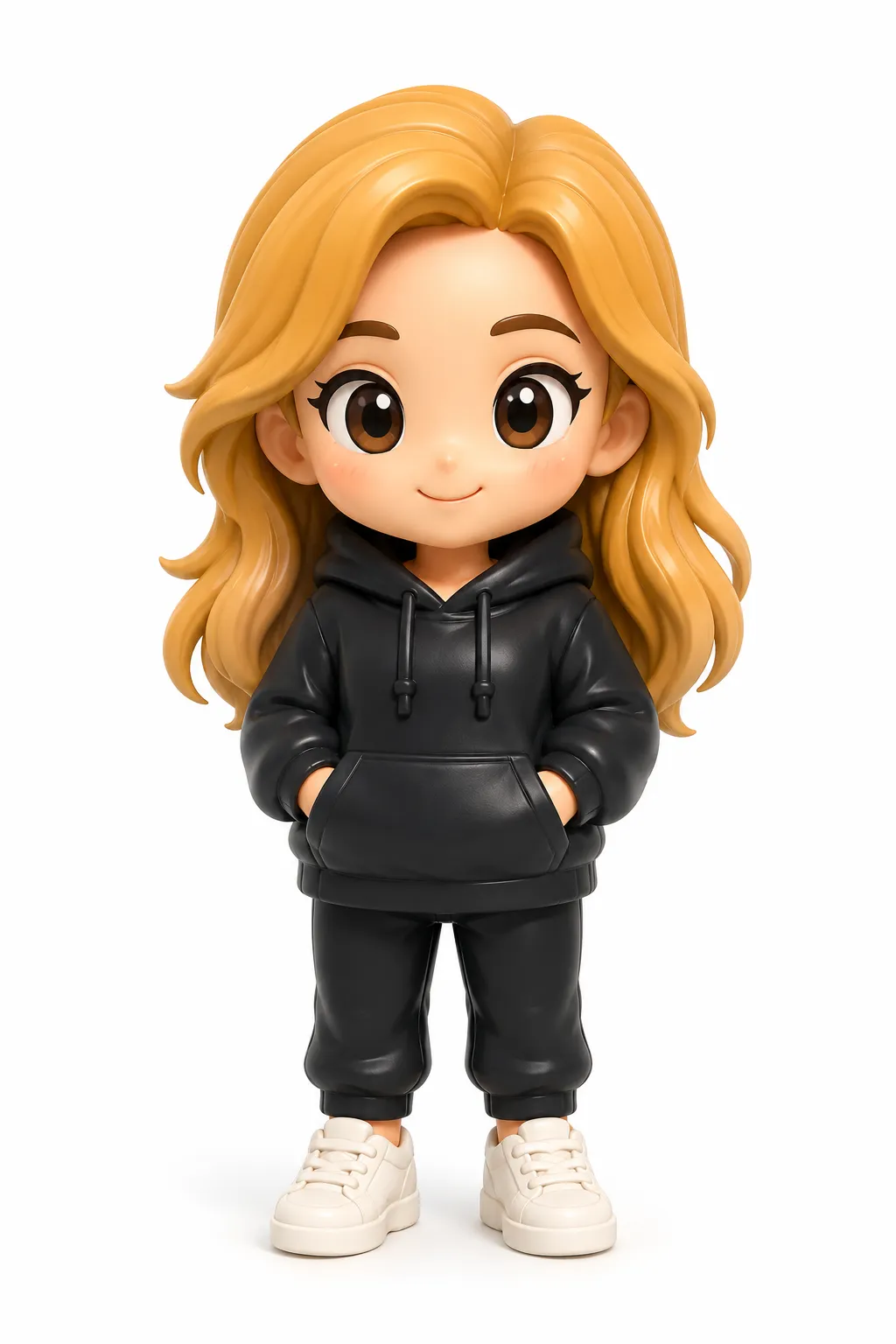
ChatGPT 이모티콘 빈티지 레트로 스타일 스티커 이미지 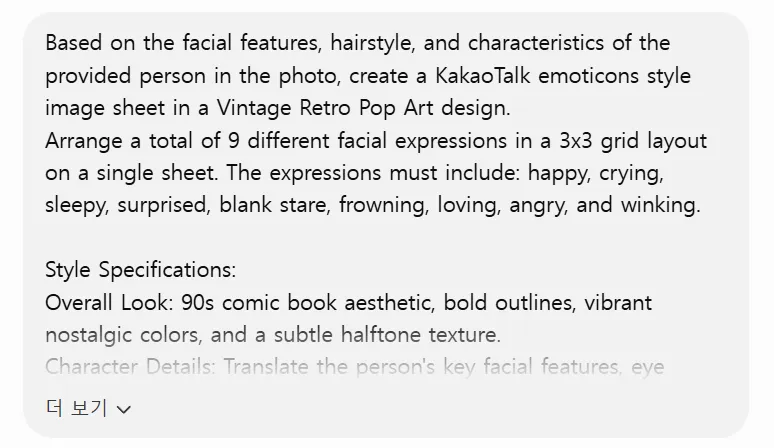
ChatGPT 이모티콘 빈티지 레트로 스타일 스티커 이미지 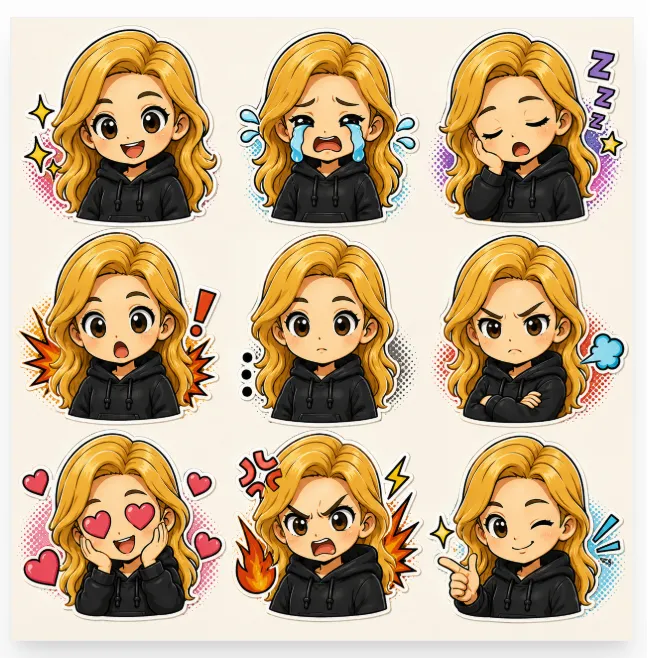
ChatGPT 이모티콘 빈티지 레트로 스타일 스티커 이미지
힙한 스트릿 그래피티 스타일
기본 이미지를 첨부해서 프롬프트를 실행해야 합니다.
더보기Based on the facial features, hairstyle, and characteristics of the provided person in the photo, create a KakaoTalk emoticons style image sheet in a Street Fashion Graffiti design.
Arrange a total of 9 different facial expressions in a 3x3 grid layout on a single sheet. The expressions must include: happy, crying, sleepy, surprised, blank stare, frowning, loving, angry, and winking.
Style Specifications:
Overall Look: Edgy vector linework, skater culture vibe, cool and trendy aesthetics, with vibrant neon accents.
Character Details: Maintain the recognizable hairstyle and facial structure from the reference photo, but redesign the person as a cool, hip street-art character wearing a stylish hoodie.
Emoticon Features: Each character must have a prominent, thick white sticker border. Incorporate street-art style doodles, spray splatters, or cool neon emojis matching each emotion.
Background: Isolated on a plain solid dark-grey background.
Crucial Rule: DO NOT include any text, words, or letters. Leave the spaces clean for text overlay.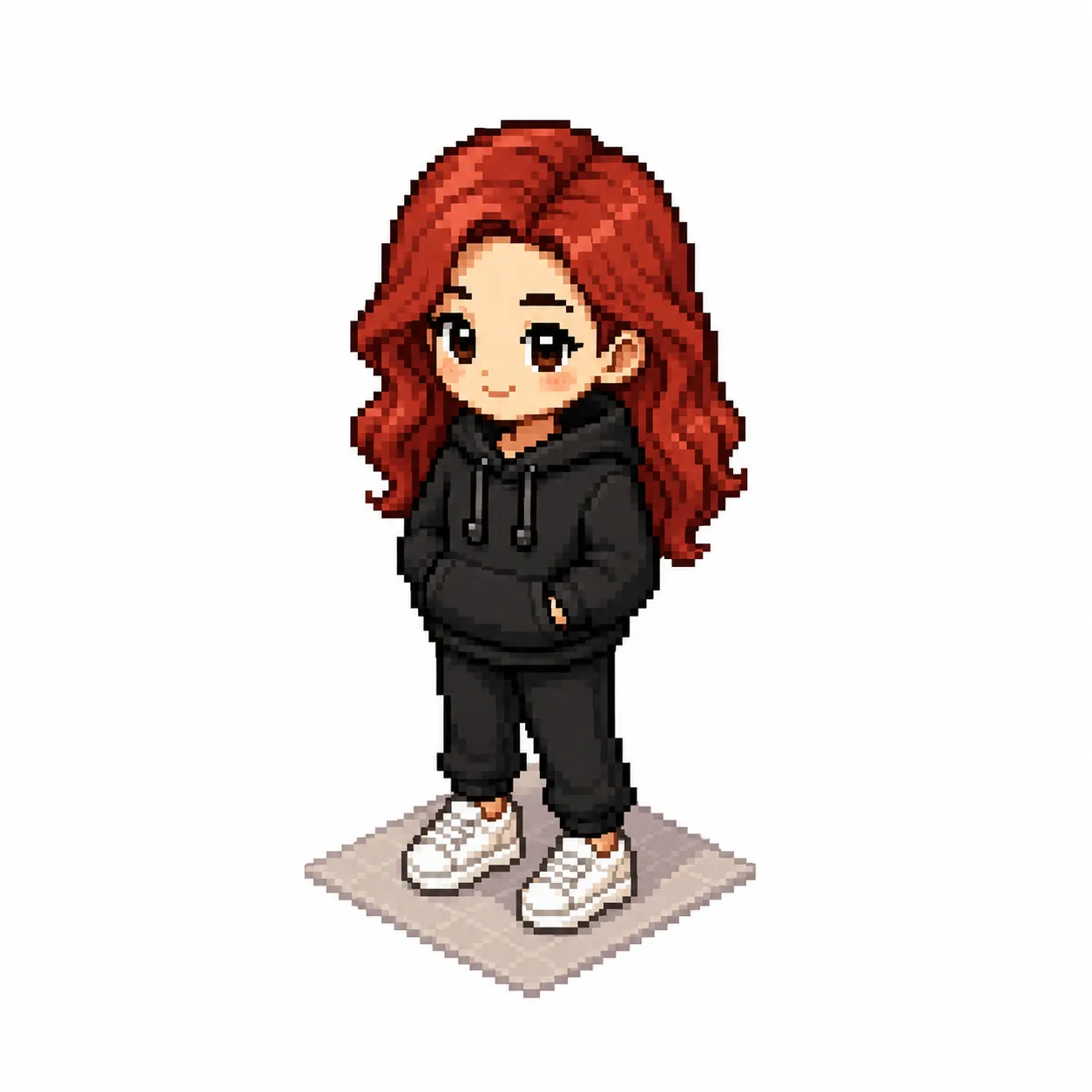
ChatGPT 이모티콘 힙한 스트릿 그래피티 스타일 스티커 이미지 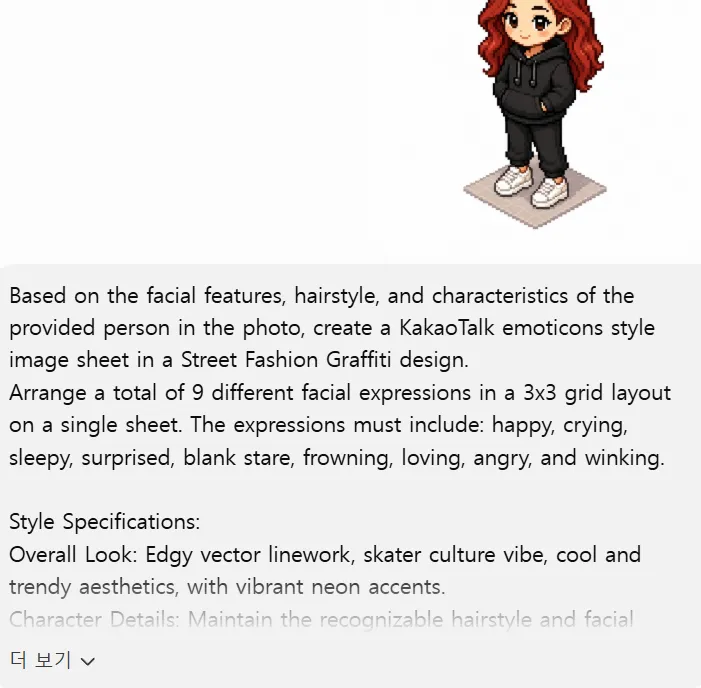
ChatGPT 이모티콘 힙한 스트릿 그래피티 스타일 스티커 이미지 
ChatGPT 이모티콘 힙한 스트릿 그래피티 스타일 스티커 이미지
수채화 감성 일러스트 스타일
기본 이미지를 첨부해서 프롬프트를 실행해야 합니다.
더보기Based on the facial features, hairstyle, and characteristics of the provided person in the photo, create a KakaoTalk emoticons style image sheet in a Soft Watercolor Illustration design.
Arrange a total of 9 different facial expressions in a 3x3 grid layout on a single sheet. The expressions must include: happy, crying, sleepy, surprised, blank stare, frowning, loving, angry, and winking.
Style Specifications:
Overall Look: Gentle color bleeds, hand-drawn cozy aesthetic, elegant digital watercolor textures, and soft lighting.
Character Details: Softly capture the person's essential facial features, eye shape, and hair flow from the photo, rendering them in a beautiful, warm, hand-painted art style.
Emoticon Features: Carefully outline each character with a clean white die-cut contour border. Include delicate watercolor-textured mini icons (hearts, teardrops, stars) around the faces.
Background: Isolated on a plain solid white background.
Crucial Rule: DO NOT include any text, words, or letters. Leave the spaces clean for text overlay.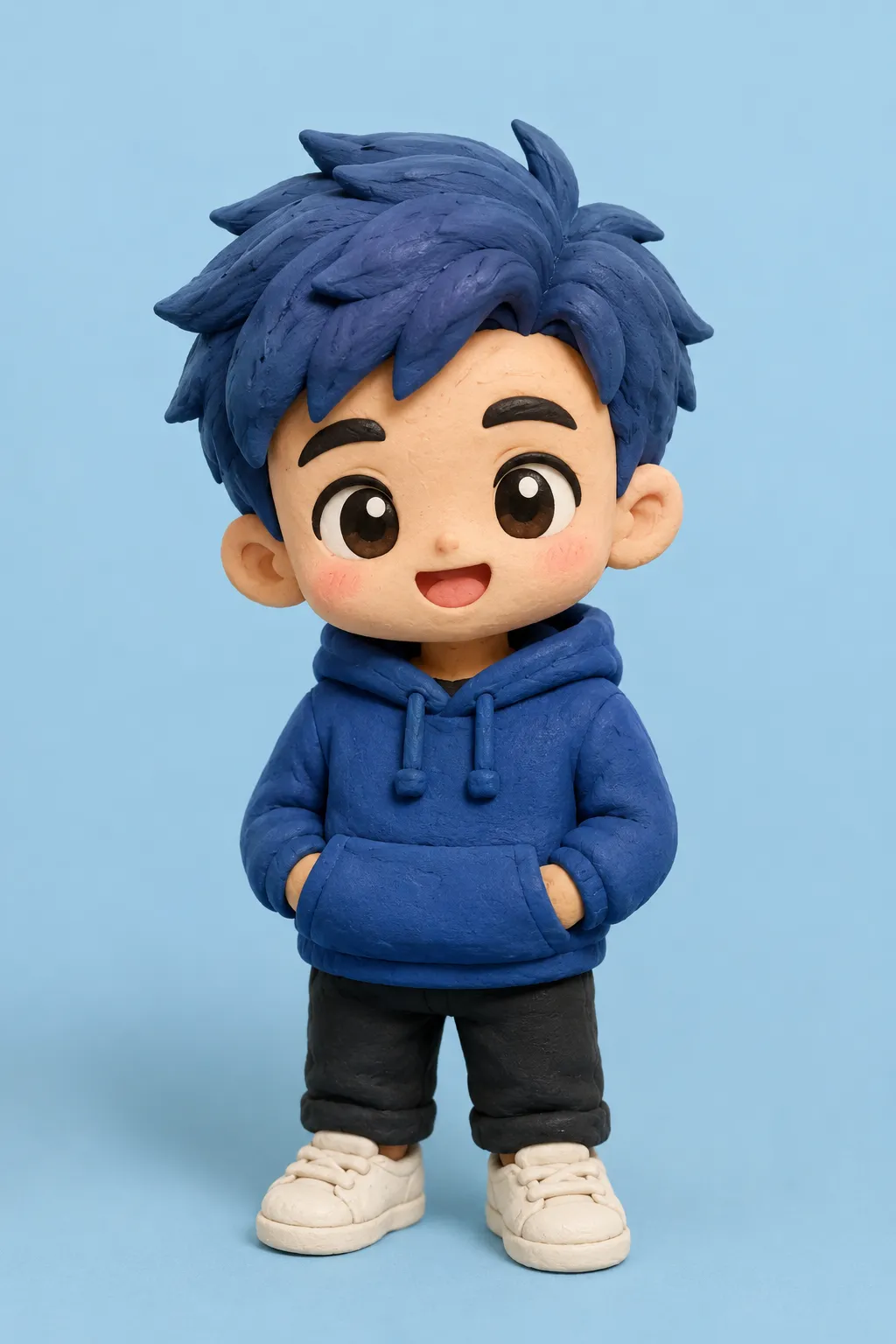
ChatGPT 이모티콘 수채화 감성 일러스트 스타일 스티커 이미지 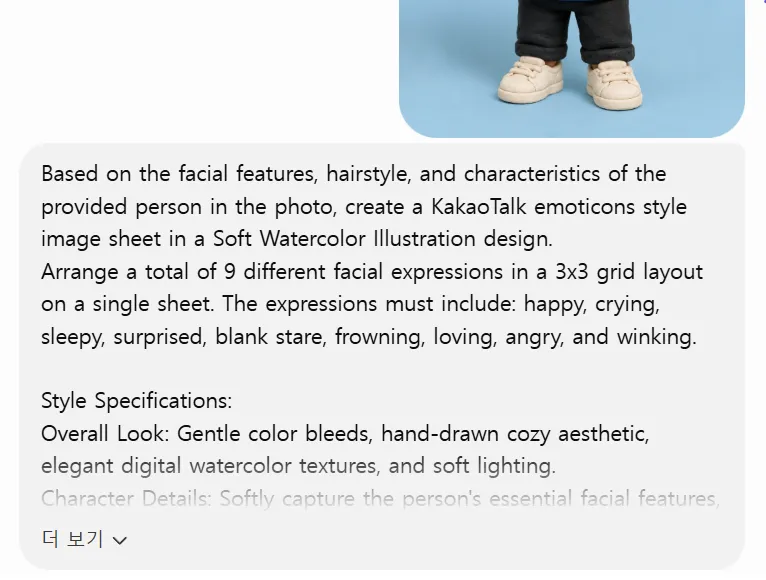
ChatGPT 이모티콘 수채화 감성 일러스트 스타일 스티커 이미지 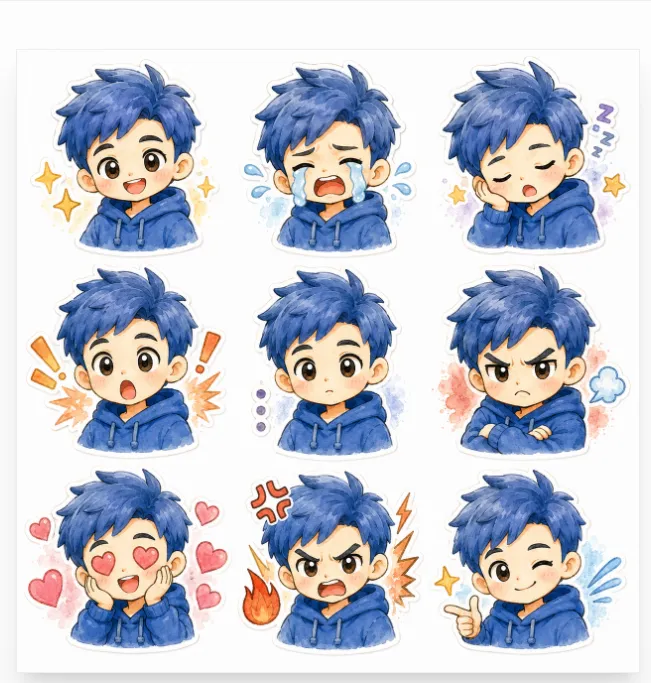
ChatGPT 이모티콘 수채화 감성 일러스트 스타일 스티커 이미지
만능 프롬프트
프롬프트를 처음부터 끝까지 직접 작성하지 말고 AI에게 프롬프트 작성을 요청해서 프롬프트를 얻을 수 있습니다.
[생활] - ChatGPT 원하는 답변 얻는 프롬프트 작성 방법 예시 모음
ChatGPT 원하는 답변 얻는 프롬프트 작성 방법 예시 모음
ChatGPT는 질문을 어떻게 입력하느냐에 따라 답변의 품질이 달라집니다. 짧게 입력하거나 막연하게 입력하면 두루뭉술한 답변이 돌아옵니다. 몇 가지 규칙을 지키면 원하는 답변을 얻을 수 있습
blog.baobtree.com
캐러셀 프롬프트
ChatGPT로 30초 만에 캐러셀을 만들 수 있습니다.
[생활] - ChatGPT로 인스타그램 캐러셀 30초 만에 만드는 방법
ChatGPT로 인스타그램 캐러셀 30초 만에 만드는 방법
캐러셀 콘텐츠는 카드뉴스 형태의 이미지입니다. 인스타그램 캐러셀은 한 번에 여러 장의 이미지를 공유할 수 있습니다. 직접 기획하고 문구를 정리하고 디자인하는 과정은 시간이 많이 걸립니
blog.baobtree.com
미니미 프롬프트
ChatGPT로 미니미 캐릭터를 만들 수 있습니다.
[생활] - ChatGPT로 나만의 미니미 캐릭터 만드는 방법
ChatGPT로 나만의 미니미 캐릭터 만드는 방법
ChatGPT 이미지 생성으로 나만의 캐릭터를 만들 수 있습니다. 프로필 사진으로 사용하거나 스티커, 굿즈 제작까지 활용 범위도 넓습니다. 특히 자신만의 스타일로 미니미 캐릭터를 만들 수 있습니
blog.baobtree.com
월드컵 중계 프롬프트
ChatGPT로 내가 나오는 월드컵 중계 화면을 만들 수 있습니다.
[생활] - ChatGPT로 월드컵 중계 화면 스타일 이미지 만드는 방법
ChatGPT로 월드컵 중계 화면 스타일 이미지 만드는 방법
ChatGPT를 이용하면 월드컵 중계 화면처럼 생생한 스포츠 방송 스타일 이미지를 만들 수 있습니다. 이전에 유행햇던 KBO 야구 중계 화면처럼 가능합니다. 실제 중계 카메라에 잡힌 듯한 직캠 사진
blog.baobtree.com
카카오톡 인스타그램 DM 프롬프트
ChatGPT로 카카오톡과 인스타그램 DM 이미지를 만들 수 있습니다.
[생활] - ChatGPT로 카카오톡·인스타그램 DM 대화창 만드는 방법
ChatGPT로 카카오톡·인스타그램 DM 대화창 만드는 방법
ChatGPT의 이미지 생성 기능을 활용하면 실제 메신저 화면처럼 대화창 이미지를 만들 수 있습니다. ChatGPT로 쉽게 만들 수 있습니다. 원하는 내용만 입력하면 실제 캡처처럼 만들 수 있습니다. 카카
blog.baobtree.com
ChatGPT 개인 맞춤 설정
개인 맞춤 설정을 하면 매번 똑같은 지시사항을 반복해서 입력할 필요가 없습니다.
[생활] - ChatGPT 개인 맞춤 설정 사용 방법 (추천 프롬프트 5가지 포함)
ChatGPT 개인 맞춤 설정 사용 방법 (추천 프롬프트 5가지 포함)
ChatGPT를 사용하다 보면 매번 같은 설명을 해야 하는 경우가 있습니다. 답변 스타일을 지정하거나 글 작성 규칙을 알려주거나 특정 분야 전문가처럼 답변하도록 요청하는 경우입니다. 이럴 때 사
blog.baobtree.com
프로젝트 지침
프로젝트 지침은 프로젝트마다 목적, 역할, 제약 조건 등을 미리 알려주는 설정입니다.
지침에 맞는 답변을 출력합니다.
맞춤형 지침과 다르게 해당 프로젝트 내에서만 적용됩니다.[생활] - ChatGPT 프로젝트 지침 작성 방법 (효과적인 목표 설정 팁 포함)
ChatGPT 프로젝트 지침 작성 방법 (효과적인 목표 설정 팁 포함)
ChatGPT 프로젝트 기능을 활용하면 특정 주제나 업무에 특화된 AI 어시스턴트를 만들 수 있습니다. 이때 가장 중요한 것이 프로젝트 지침입니다. 지침을 잘 작성하면 AI가 일관되고 정확한 답변을
blog.baobtree.com
Fable 스타일 지침
클로드의 Fable 5 스타일은 특정 문체에 맞춰 일관된 결과물을 출력하도록 말투를 제어하는 프롬프트 및 시스템 설정입니다.
[생활] - Fable처럼 일하는 ChatGPT 프로젝트 지침 및 프롬프트 작성 방법
Fable처럼 일하는 ChatGPT 프로젝트 지침 및 프롬프트 작성 방법
Fable은 AI를 단순한 챗봇이 아니라 절차를 따르고 검증하며 결과를 관리하는 작업자로 활용합니다. 일반적인 AI 스타일이 지시한 대로 받아쓰는 조수라면 Fable 스타일은 목표만 던져주면 알아서
blog.baobtree.com
AI 대화 학습 끄기
AI는 모델 학습을 위해 기본적으로 사용자의 대화 데이터를 수집하고 있습니다.
개인 정보 노출 위험도 있고 해서 끄는 것이 좋습니다.
주요 AI 서비스의 대화 학습 끄기 설정은 각 서비스의 설정 메뉴에서 간단하게 변경할 수 있습니다.[생활] - AI 대화 데이터 모델 학습 끄기 설정 방법
AI 대화 데이터 모델 학습 끄기 설정 방법
AI 서비스에 가입하면 대화 데이터들은 기본적으로 AI 학습에 이용됩니다. 주요 AI 서비스 챗지피티, 클로드, 그록, 제미나이, 퍼플렉시티 등은 학습에 사용하지 않도록 차단하는 옵션을 제공합니
blog.baobtree.com
단축키
자주 쓰는 단축키를 알면 유용하게 사용할 수 있습니다.
[생활] - ChatGPT 알면 유용하게 자주 사용하는 단축키 사용 방법
요약
1. ChatGPT 이모티콘 스티커 생성
2. 아기자기 스타일
3. 빈티지 레트로 스타일
4. 힙한 스트릿 그래피티 스타일
5. 수채화 감성 일러스트 스타일반응형'생활' 카테고리의 다른 글
ChatGPT로 카카오톡·인스타그램 DM 대화창 만드는 방법 (0) 2026.06.26 ChatGPT로 월드컵 중계 화면 스타일 이미지 만드는 방법 (0) 2026.06.23 스팸전화 차단 설정 방법 (두낫콜 + 금융·인터넷·TV·여론조사) (0) 2026.06.21 ChatGPT로 나만의 미니미 캐릭터 만드는 방법 (0) 2026.06.20 해외 자급제폰 알뜰폰 단말기 등록 및 사용 가능 여부 조회 방법 (0) 2026.06.19